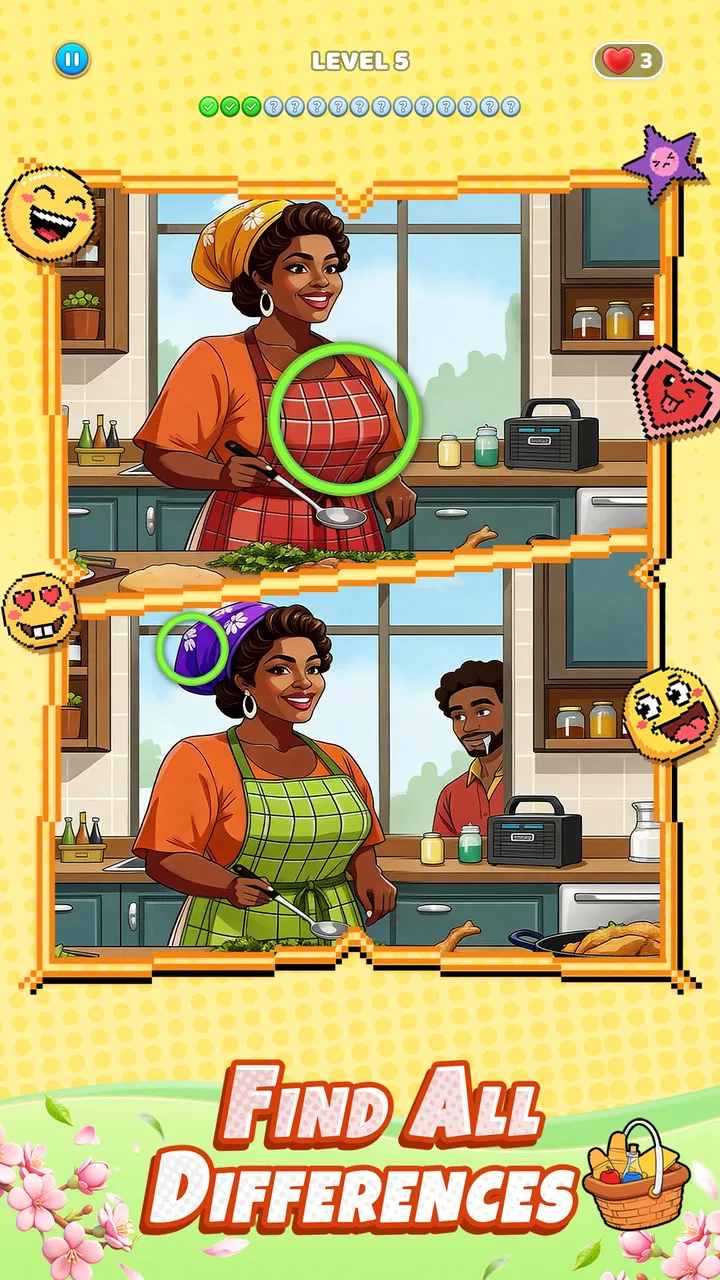
Difference: Spot & Find Master
- 4.9
- Rating
- 10.00M
- Installs
- Free
- Price

 Analysis by App-foxy
I like puzzle games that are easy to pick up but still give my attention somewhere useful, and Difference: Spot & Find Master fits that role well. It is a free puzzle game from LifePulse Puzzle Game Studio built around comparing images, noticing small changes, and taking a quiet break from more demanding apps. I found it especially suitable for a shared household device because someone can play for a few minutes without needing a long explanation or a complicated setup.
The basic idea is familiar: two scenes appear, and I look for details that do not match. That simplicity is the main strength here. I do not need to learn a large rule set before starting, and the game’s Everyone age rating makes it a reasonable option to consider when children and adults use the same phone or tablet. Still, “easy to start” does not mean every situation is equally suitable, so the way a household shares the device matters.
How the game works in everyday shared use
My favorite use case is a short waiting period at home. One person can begin a puzzle while another is cooking, reading, or finishing a task, then hand the device over without interrupting a long match. Unlike a competitive game, this kind of play does not create much pressure to keep going at the same time as somebody else. Each player can simply inspect the picture and decide when to stop.
You May Also Like

 Blood Strike: 2.5 Anniversary
Blood Strike’s Loadouts Turn Every Drop Into a Tactical Gamble
A close look at Blood Strike’s custom loadouts: how fast access to signature weapons reshapes its battle royale rhythm, rewards preparation, and narrows the gap between fights.

 Pandora - Music & Podcasts
Pandora’s Music Is Easy to Start, but Harder to Recover
Pandora’s strength is its low-effort path from a seed to a station. Its weak spot is how much confidence it asks you to place in connection, setup, and quiet recovery.

 8 Ball Pool
 Is Built on Rivalries, Rematches, and Routine
A close look at the rivalries, rematches, shared routines, and unanswered safety questions that turn a quick pool match into a persistent mobile community.

 Samsung Music
’s Quiet Strength Is Playing What You Already Own
Its reach comes less from spectacle than from dependable access to a personal library. That simplicity is both the app’s strongest retention engine and its ceiling.

 AccuWeather: Weather Radar
AccuWeather Review: A Quick, Clear Forecast for Everyday Decisions
For everyday plans, the best forecast is the one you can understand quickly. AccuWeather makes rain timing, radar, and local conditions easy to act on, with a few trade-offs.

 Hill Climb Racing
Why Hill Climb Racing Still Turns Crashes Into One More Run
A tiny car, a bumpy hill and one more upgrade: Hill Climb Racing keeps resurfacing because its simple chaos makes every near-miss feel personal.
More From Our News Desk



That makes it a better fit for a family tablet than many action games. A child can try to identify obvious changes, while an adult can slow down and search more carefully. The same image-comparison format also works for a quick mental reset after work. I would not describe it as a full family activity in the board-game sense, because the app is still designed around an individual screen, but two people can comfortably take turns and discuss what they see.
Taking turns is more enjoyable when everyone agrees on a simple routine. I would give each player a short attempt, avoid shouting the location of a difference immediately, and let the person holding the device make the final choice. This keeps the game from turning into a race between different ages or eyesight levels. It also makes the experience more cooperative without pretending that the app includes a built-in team mode.
A useful household habit is to treat the game as a shared puzzle rather than a test. If one person notices a detail first, describing its general area instead of pointing straight at it gives the other player a chance to solve it. That small change matters with children: they practice observation instead of only following an adult’s answer. With older relatives, it avoids making the session feel like a timed performance.
What I would check before handing over the device
Because this is a game rather than a communication or school app, the setup is uncomplicated from a user’s point of view. I would still decide who is using the phone, when the session ends, and whether the device is being used in a common room or privately. Those boundaries are more important than they may seem on a shared device, especially when several people expect access to it.
I also recommend checking the device’s general settings before a child starts playing. The app itself has an Everyone content rating, but that rating should not be confused with a complete household policy. A parent or owner may still want to supervise downloads, screen time, notifications, and access to the wider device. Those decisions belong to the device environment, not to the puzzle rules.
For a shared tablet, I would keep the session short at first and observe how the player responds. Some people enjoy searching slowly; others become frustrated when a difference is hard to see. If the game is being used by several age groups, agree that asking for a hint from another person is acceptable. That prevents a young player from feeling that a missed detail means they are doing badly.
Another practical boundary is ownership of progress. If the device is passed between household members, players should not assume that a particular position in the game belongs exclusively to them unless the app clearly presents separate profiles or another separation method. I would avoid promising children that their progress is private or permanently reserved. On a shared screen, the safest expectation is that play may be visible and that turns should be coordinated openly.
Coordinating turns without making it complicated
The game’s short, visual format makes informal coordination easy. A household can use it during a break, after dinner, or while waiting for another activity to finish. I prefer a “one puzzle each” approach because it gives everyone a clear stopping point. It also prevents one player from holding the device for a long stretch simply because they are close to finding one last difference.
For younger players, an adult can turn the search into a conversation: ask whether the colors, shapes, objects, or positions match. This gives the child a method instead of a solution. I found that scanning the image in sections works better than staring at the whole screen randomly. Starting at the corners, then moving across the top, center, and bottom creates a repeatable search pattern and reduces the chance of overlooking a small change.
That scanning method is one of the most useful tips for this particular style of game. I would also compare large shapes first and tiny details second. A missing object or altered outline is easier to notice before checking small marks, patterns, or color changes. If I search every part with the same intensity from the beginning, I waste attention and make the puzzle feel harder than it needs to be.
When two people are playing together, one can inspect the left image while the other studies the right image, then both switch sides. This is not a special multiplayer feature; it is simply a sensible way to share attention around one screen. It works best when the players speak in location-based descriptions such as “upper corner” or “near the center,” rather than touching the screen repeatedly and hiding the detail.
There is also a trade-off in using it as a group activity. The person with sharper eyesight, more patience, or more experience with visual puzzles may dominate. If the goal is relaxation, I would not use speed as the only measure of success. Letting a younger or less confident player choose the next area to inspect can make the session feel more balanced.
Age, trust, and the limits of a shared screen
The Everyone rating is reassuring for households looking for a broadly accessible puzzle, and the premise is much calmer than games built around combat, competition, or complicated social interaction. I can see it working for a child who enjoys visual challenges, an adult who wants a quiet distraction, or an older family member who prefers a straightforward activity.
That rating does not remove the need for ordinary trust and supervision. A child using a family phone may still encounter other apps, notifications, saved accounts, or personal messages unrelated to this game. I would hand over a dedicated tablet or keep the device in a common area if privacy is a concern. The important distinction is that the puzzle itself may be age-appropriate while the surrounding device contains information that is not meant for casual access.
I would also explain to children that the game is for finding visual differences, not for tapping every part of the screen repeatedly. That encourages careful play and protects the device from unnecessary frustration. If a child asks for help, I would offer a search strategy rather than immediately taking over. This keeps the activity trustworthy and gives the player a sense of ownership.
For older users, accessibility can be a practical concern even when the rules are simple. Small visual changes may be tiring, particularly on a phone held at a distance or in poor lighting. I prefer using a larger screen when several people are watching, and I would stop if the search becomes uncomfortable. The game’s straightforward concept does not guarantee that every image will be equally easy for every pair of eyes.
Another point about trust is the expectation of progress. On a shared device, people should agree before another player continues a puzzle or changes the current session. This is less about technical controls and more about courtesy. If the app is being treated as a common household pastime, a quick verbal handoff avoids arguments about who was playing and what should happen next.
Where it stands beside other puzzle choices
Compared with a crossword, Sudoku, or word puzzle, this game asks more from visual attention than from language or calculation. That makes it a useful alternative when someone wants a challenge without reading a lot of text. It is also easier to explain to a child who may not yet enjoy number-based puzzles. On the other hand, players looking for deep planning, a strong sense of long-term progression, or a puzzle that changes its rules may find the format limited.
Compared with a competitive multiplayer game, the difference is even clearer. There is no need to coordinate a live match or worry about another player’s skill level while searching. That calm structure is a benefit for shared-device use. The trade-off is that the app may feel repetitive to someone who wants constant novelty, strategic choices, or a stronger social layer.
It also occupies a different space from a meditation app. Spotting changes can be relaxing, but it still requires concentration and can become mildly frustrating when the final detail is difficult to see. I would choose it when I want an active mental break, not when I want guided breathing or complete mental stillness. That distinction helps set the right expectation.
The game is free, which lowers the barrier for trying it on a household device. Its average rating is 4.9 from around 69 thousand ratings, and it has passed 5 million installs, so it has clearly attracted a substantial audience. Those figures make it easier for me to take the app seriously as an established choice, although popularity cannot tell me whether every player will enjoy the visual challenge.
Who should try it and who should skip it
I would recommend Difference: Spot & Find Master to someone who wants a simple visual puzzle for short sessions, especially if the same device is used by different ages. It is a good match for families who can take turns, adults who enjoy observation games, and players who prefer a quiet challenge over fast reactions. The current version is 1.2.1, and it runs on Android 6.0 or later, which makes it accessible to many older compatible devices.
I would be more cautious about recommending it to someone who dislikes repetition or needs a highly structured learning experience. A person looking for wordplay, number logic, or elaborate puzzle mechanics should choose a game built around those strengths instead. It is also not my first choice for a group that wants a genuine multiplayer experience, because taking turns around one screen is not the same as playing together through a dedicated mode.
Players with visual fatigue should approach it in short sessions and use the largest comfortable screen available. The most effective routine is to scan systematically, pause rather than tap randomly, and ask for a location hint when the search stops being enjoyable. Those habits do not change the game’s content, but they make its central challenge feel fairer and more relaxing.
My household verdict
After looking at it as both a puzzle and a shared-device option, I see Difference: Spot & Find Master as a friendly, low-pressure choice rather than a game that tries to do everything. Its strongest quality is the immediate visual task: open it, compare the scenes, and focus. That clarity makes it easy to pass between family members and easy to fit into a spare moment.
My main reservation is not about complexity but about expectations. A simple difference-finding format can be pleasant for a long time if you enjoy careful observation, yet it will not satisfy everyone who wants strategic depth or constant variety. The app is best when the household treats it as a calm turn-taking activity, not as a contest that rewards the fastest eyes.
LifePulse Puzzle Game Studio has made a free puzzle that works particularly well in homes where a phone or tablet is shared casually. I would install it for a child-and-adult break, a quiet waiting period, or a few minutes of focused attention after a busy day. I would skip it only if I specifically wanted words, numbers, advanced strategy, or built-in social play. For the right player, the real appeal is its small, repeatable moment of concentration: everyone can understand the goal, choose a comfortable pace, and enjoy the search without turning the device into a source of conflict.
FAQs for Difference: Spot & Find Master
01What is the main objective of Difference: Spot & Find Master?
Difference: Spot & Find Master is a puzzle game where players are tasked with spotting differences between two seemingly identical images. The primary goal is to identify all the discrepancies within a set time limit, enhancing your observation skills and attention to detail.
02Is Difference: Spot & Find Master suitable for all age groups?
Yes, Difference: Spot & Find Master is designed to be family-friendly and suitable for all age groups. Its simple yet challenging gameplay makes it an enjoyable and educational experience for both children and adults, promoting cognitive development and visual perception.
03Does Difference: Spot & Find Master require an internet connection?
Difference: Spot & Find Master can be played both online and offline. While some features, like leaderboards or updates, may require an internet connection, you can enjoy the game’s core features without being connected, making it perfect for on-the-go entertainment.
04Are there in-app purchases in Difference: Spot & Find Master?
Yes, the game offers in-app purchases. Players can buy hints or remove ads to enhance their gaming experience. However, these purchases are optional, and you can still enjoy the complete game without spending any money by exercising patience and strategy.
05How does the game difficulty progress in Difference: Spot & Find Master?
The game starts with easier levels, gradually increasing in complexity as you progress. This gradual progression ensures that players are continually challenged and engaged. The increasing difficulty also helps improve your spotting skills and keeps the gameplay exciting and fresh.
Pros
- Engaging puzzles that boost attention to detail.
- Variety of levels to keep gameplay fresh.
- Intuitive interface for easy navigation.
- Vibrant graphics enhance visual experience.
- Offline mode available for on-the-go play.
Cons
- Ads can interrupt gameplay frequently.
- Limited hints may frustrate new players.
- Repetitive sound effects can be annoying.
- Requires in-app purchases for extra features.
- Smaller screens may hinder detailed viewing.

Difference: Spot & Find Master
Gallery